Supabase Publishable Key: Moving Off anon Keys
Supabase's publishable key (sb_publishable_...) replaces the anon key; the secret key (sb_secret_...) replaces service_role. Supabase is deprecating the old keys by the end of 2026. Keep RLS on.

On this page
- What to do before the end of 2026 (checklist)
- What's the difference between the old and new Supabase keys?
- Which key goes in the frontend, and which on the server?
- How do I migrate from anon and service_role?
- When do anon keys stop working?
- Is the publishable key safe in the browser?
- Do I need new RLS policies?
- Does Lovable or Bolt update this for me?
- FAQ
- Check your app
The Supabase publishable key (sb_publishable_...) is the new version of the anon key, and the secret key (sb_secret_...) is the new version of service_role. Supabase's docs say it is deprecating anon and service_role keys by the end of 2026. The publishable key goes in your frontend, and the secret key stays on your server. Row Level Security is still what protects your data.
By Gary, Greenlight My App · Updated Oct 29, 2026 · How we checked this: we read Supabase's API keys docs on Oct 29, 2026. We have not created publishable and secret keys in a test project for this post yet, so the dashboard steps are untested by us. Drafted with AI tools and reviewed by a person before publishing.
What to do before the end of 2026 (checklist)
Create a publishable key and a secret key, swap them into your app, confirm everything works, then disable the legacy keys. Supabase says the two key systems work side by side, so you can switch without downtime.
| Step | Where | Notes |
|---|---|---|
| 1. Create a publishable key and a secret key | Dashboard: Settings > API Keys | Doesn't affect legacy keys |
| 2. Swap the publishable key into frontend code | Your .env and host settings | Replaces the anon key |
| 3. Swap the secret key into server code | Host's secret settings | Replaces service_role |
| 4. Redeploy and test sign-in, reads and writes | Your app | Check every feature |
| 5. Disable the legacy keys | Dashboard: Settings > API Keys | Reversible, per Supabase |
| 6. Re-check RLS on every table | Security Advisor | Same rules as before |
What's the difference between the old and new Supabase keys?
The new keys are short strings, not JWTs, and they map to the same Postgres roles as the old keys. Supabase lists four key types: publishable and secret (new), and anon and service_role (legacy).
| Publishable key | Secret key | anon (legacy) | service_role (legacy) | |
|---|---|---|---|---|
| Starts with | sb_publishable_ | sb_secret_ | eyJ (JWT) | eyJ (JWT) |
| Privileges | Low | Elevated | Low | Elevated |
| Safe in the browser? | Yes | No | Yes | No |
| Bypasses RLS? | No | Yes | No | Yes |
| Replaces | anon | service_role | — | — |
Source: Supabase docs, API keys (external), read Oct 29, 2026.
Supabase's docs add a handy tip: if a tool, tutorial or AI assistant tells you to copy a long key starting with eyJ, it was written for the legacy keys.
Which key goes in the frontend, and which on the server?
Ask where the code runs. Anything you ship to users, like a web page or mobile app, gets the publishable key. Anything you control, like a server, Edge Function or cron job, gets the secret key.
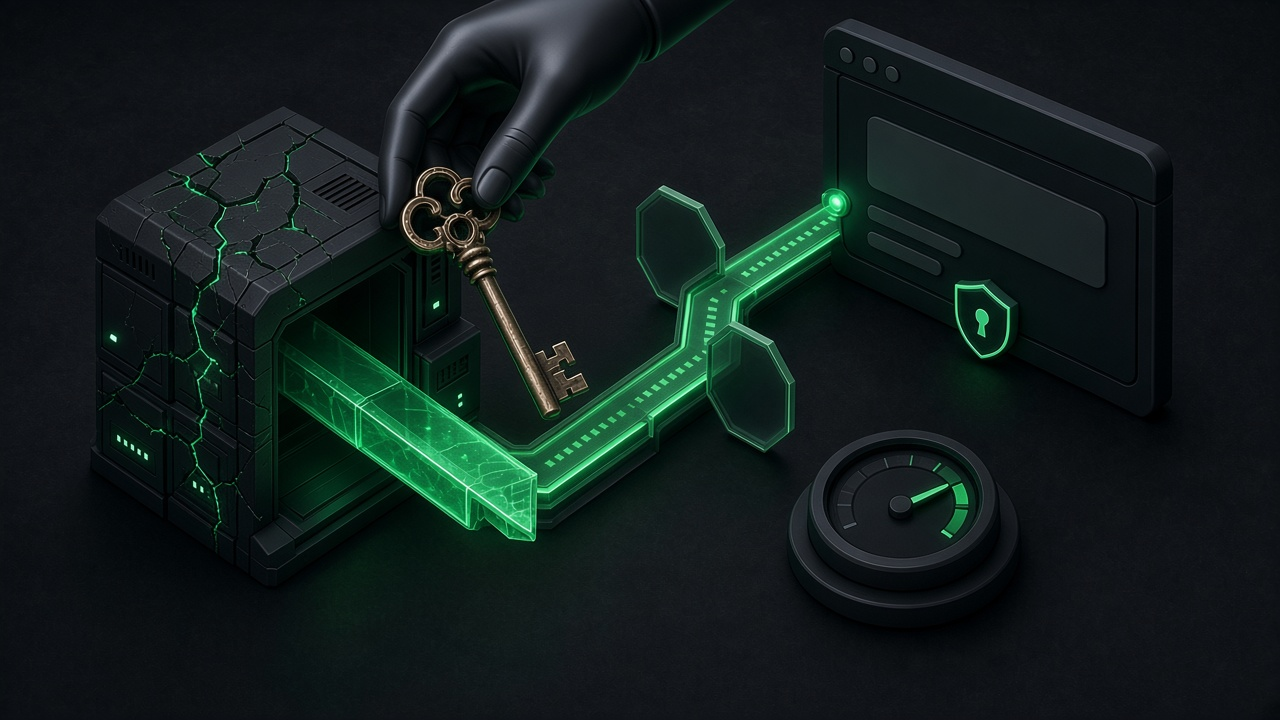
Supabase's docs put it as a building: the publishable key is taped to the front door and opens the lobby. The secret key is the master key, and it stays in your pocket.
Here's the .env naming the docs suggest for a Next.js app:
NEXT_PUBLIC_SUPABASE_URL=https://your-project.supabase.co
NEXT_PUBLIC_SUPABASE_PUBLISHABLE_KEY=sb_publishable_XXXX

SUPABASE_URL=https://your-project.supabase.co
SUPABASE_SECRET_KEY=sb_secret_XXXX
Those values are fake placeholders. The important part is the prefix. A NEXT_PUBLIC_ or VITE_ prefix ships the value to the browser, so it must never go on the secret key. Our service role key guide (external) explains what happens if it does.
The new secret key also adds a safety check. Supabase says a secret key doesn't work in a browser: it matches on the User-Agent header and returns HTTP 401. That's a backstop, not permission to be careless. An attacker can still use a leaked secret key from other tools.
How do I migrate from anon and service_role?
Create the new keys, swap them in, test, then disable the legacy keys. Supabase says creating new keys doesn't revoke the old ones, and that disabling legacy keys is reversible, so you can turn them back on if you find a client you missed.
A worked example for a typical small app with a web frontend and one server route:
- In the dashboard, go to Settings > API Keys and create a publishable key and a secret key.
- Frontend: replace the
anonkey value with the publishable key. In code, it's still passed tocreateClient. - Server route: replace the
service_rolekey with the secret key, read from a server-only variable. - Edge Functions: Supabase's docs say
SUPABASE_ANON_KEYandSUPABASE_SERVICE_ROLE_KEYin the Edge runtime still carry the legacy keys, so reading them keeps you on the old path. The docs point toSUPABASE_SECRET_KEYSor the@supabase/serverSDK instead. - Headers: Supabase says to send the new keys on the
apikeyheader, notAuthorization: Bearer, because they aren't JWTs. - Redeploy and test sign-in, reads, writes and any Edge Functions.
- Disable the legacy keys in Settings > API Keys once everything works.
Want to check what your live app exposes? Run Greenlight My App's free scan on your live URL.
When do anon keys stop working?
Supabase's docs say it is deprecating the anon and service_role keys "by the end of 2026". The docs page we read on Oct 29, 2026, doesn't give an exact day. Until you disable them, the legacy keys keep working alongside the new ones.
Don't wait for the last week of December. Plan the switch now, while both systems run side by side. To catch an exact date if Supabase publishes one, check its API keys page and changelog.
This is a separate change from Supabase's Oct 30 default for new tables. If you're seeing permission denied errors, our 42501 guide (external) covers that one.
Is the publishable key safe in the browser?
Yes. Supabase's docs say the publishable key is safe to expose online, including in web pages, mobile apps and source code. It's safe because Row Level Security decides what it can reach. Without RLS, any key is a problem.
Supabase lists things the publishable key does not protect against, because anyone can read it:
- Code analysis and reverse engineering.
- The browser's network inspector.
- Cross-site request forgery, cross-site scripting and phishing.
- Man-in-the-middle attacks.
For full protection, the docs say to enable RLS on all tables and review your policies for the anon and authenticated roles regularly. Our guide to whether your Supabase anon key is safe (external) covers the same idea for the legacy key.
Do I need new RLS policies?
No. Supabase's docs say every key resolves to a built-in Postgres role. The publishable key maps to anon when no user is signed in and authenticated when one is, the same as the legacy key. Your existing policies keep working.
| Key | User signed in? | Postgres role |
|---|---|---|
| Publishable key | No | anon |
| Publishable key | Yes | authenticated |
| Secret key | Not applicable | service_role |
Source: Supabase API keys docs, Oct 29, 2026.
That also means the switch doesn't fix weak policies. If a table has no RLS, or a policy uses using (true), it's just as open with the new key. Our Postgres row level security guide (external) walks through checking them.
Does Lovable or Bolt update this for me?
We don't know yet, and we haven't tested it. Check where your builder stores your Supabase keys, usually a secrets or environment panel, and whether it shows the new sb_publishable_ key or a long eyJ key.
If you see an eyJ key, you're on the legacy key. Swap in the publishable key wherever the builder stores it, then follow the steps above for any server code.
FAQ
When do anon keys stop working?
Supabase says it's deprecating anon and service_role keys by the end of 2026. The docs we read on Oct 29, 2026, give no exact day. For now, legacy keys keep working until you disable them, but they are being deprecated, so switch early.
Is the publishable key safe in the browser? Yes, according to Supabase's docs, as long as Row Level Security is on for every table. The key itself is public. RLS is what decides what it can read or write.
Do I need new RLS policies?
No. The publishable key maps to the same anon and authenticated roles as the legacy key. Existing policies keep working, and weak policies stay weak, so review them anyway.
Does Lovable update this for me?
We haven't tested it. Check your builder's secrets or environment panel. A key starting with eyJ is a legacy key; swap in the sb_publishable_ key.
Is the secret key the same as service_role?
It does the same job. Supabase says the secret key bypasses Row Level Security through the service_role role, but adds checks, like returning 401 when used from a browser.
Check your app
Switching keys is a good moment to check what your live app exposes. Run Greenlight My App's free scan on your live URL. It checks your homepage and up to five API paths it finds in your homepage and up to 15 of the scripts it loads for secret keys that shouldn't be there. The scan is automated, read-only and educational, not a security audit, and "nothing found" isn't a guarantee that nothing is exposed.
Sources
On this site
Related posts
API Key Leaked? What to Do in the Next Hour
API key leaked? What to do in the next hour: revoke and replace it, update your apps, check usage, ask about refunds and set spend limits.

Groq API Key: How to Get One and Keep It Secret
Groq API key guide: create a key, spot the gsk_ format, keep it out of frontend code, cap spending, and what to do if a key leaks.
Supabase SECURITY DEFINER: Lock Down Your Functions
Supabase security definer functions bypass RLS and anyone may call them. Find yours with one query, then fix search_path, caller checks and EXECUTE.


Get the next change before it bites
Greenlight tips and new blog posts: short, practical notes when Supabase, Lovable, Bolt, Cursor or another tool you build with changes something that affects your app, plus what to check. About twice a month.
We'll send a confirmation email first. Unsubscribe anytime. Privacy. Greenlight My App is independent and not affiliated with or endorsed by Supabase, Lovable, Bolt, Cursor or any other tool we mention.
Greenlight My App is independent and not affiliated with or endorsed by Supabase, Lovable, StackBlitz (Bolt) or Vercel (Next.js). Product names are trademarks of their owners. Supabase facts are paraphrased from its API keys docs as read on Oct 29, 2026. The docs say legacy keys are deprecated by the end of 2026 with no exact date. We have not created these keys in a test project, so the dashboard steps are untested by us. This page is general information, not professional security advice, legal advice, a security audit or a guarantee. Check your own setup against the vendor's current docs.