How to Get an OpenAI API Key (and Keep It Safe)
Sign in at platform.openai.com, open the API keys page, create a key in the right project, and store it as OPENAI_API_KEY on your server. Never put it in frontend code.

On this page
- How do you get an OpenAI API key, step by step?
- Which key type should you choose?
- Where do you find your OpenAI API key later?
- How does OpenAI API billing work, and how do you cap spend?
- Can you put an OpenAI API key in your Lovable, Bolt or Vite frontend?
- How do you revoke and replace an OpenAI API key that leaked?
- What can the OpenCode breach teach about storing API keys?
- FAQ
Short answer: To get an OpenAI API key, sign in at platform.openai.com, open the API keys page, create a new secret key, and copy it once into a server-side environment variable named OPENAI_API_KEY. That's how to get an OpenAI API key in about two minutes. The harder part is keeping it safe: never put it in frontend code, set a budget on the project, and revoke it the moment you think it leaked.
By Gary, Greenlight · Steps checked against OpenAI's developer docs on Oct 20, 2026 · Drafted with AI tools and reviewed before publishing.
How do you get an OpenAI API key, step by step?
- Sign in at platform.openai.com (external) (the developer platform, not the ChatGPT app). API usage is billed to your API organization, separately from a ChatGPT plan.
- Pick or create a project. OpenAI describes a project as "a workspace for keys, files, and resources" (OpenAI docs (external)), and you can set separate spend limits per project (OpenAI docs (external)). Make one per app, so one leaked key affects one app.
- Open the API keys page (external) and create a new secret key. Give it a name you'll recognize later, such as
my-app-production. OpenAI "strongly recommend[s] setting an expiration date" on project keys and rotating them on a schedule (OpenAI docs (external)). - Copy the key once and store it in an environment variable on your server or host. OpenAI's quickstart says to create the key in the dashboard, store it somewhere safe, and export it as
OPENAI_API_KEY; its official SDKs read that variable automatically (OpenAI quickstart (external)).
export OPENAI_API_KEY="your_api_key_here"Copy the key right away. If you lose it, create a new key and revoke the old one; that's quicker and safer than hunting for a copy in chats or notes.
Which key type should you choose?
OpenAI's docs describe two kinds of new keys: user-owned project keys and service-account keys, and admins can limit which kinds can be created (OpenAI docs (external)). For an app running on a server, a service-account key in that app's project is usually the better fit, because it isn't tied to one person's login. If the form offers permission options, pick the narrowest set your app needs; a narrow key does less damage if it leaks. Dashboard labels change from time to time (per OpenAI's docs as of Oct 20, 2026), so follow the current wording on the page.
Where do you find your OpenAI API key later?
The API keys page (external) lists your keys by name, which is why a clear name matters. Treat it as the place to manage keys, not to copy them again: if you need a key somewhere new, create a new one for that place, so each app or tool has its own key you can revoke on its own.
How does OpenAI API billing work, and how do you cap spend?
OpenAI uses pay-as-you-go pricing based on tokens (OpenAI docs (external)). Once you add billing details, OpenAI sets an approved usage limit for your organization based on its usage tier. Before you put a key in a live app:
- Set spend alerts. They send a notification when spend passes an amount, but traffic keeps going (OpenAI spend limits (external)).
- Set a hard spend limit on the project. In Project settings → Limits → Spend, choose Edit spend limit, enter a monthly amount and turn on Enforce a hard limit. Requests then fail with a
429error once the limit is reached. OpenAI notes enforcement isn't instant, so spend can go slightly over (OpenAI spend limits (external)). - Check usage for the project after launch, and again any time you rotate keys.
We don't quote prices here because they change; check OpenAI's pricing page on the day you budget.
Can you put an OpenAI API key in your Lovable, Bolt or Vite frontend?
No. Anything in frontend code is downloaded by every visitor, and OpenAI's own docs say not to "expose it in any client-side code such as browsers or apps" (OpenAI API reference (external)). Vite's docs warn that VITE_* variables "should not contain sensitive information such as API keys" because they are bundled into your code at build time (Vite docs (external)). Next.js inlines NEXT_PUBLIC_ variables into the browser bundle at build time (Next.js docs (external)). Building with AI tools? Our Lovable launch checklist shows where secrets go in a Lovable project.
Instead, call OpenAI from a small server endpoint (an edge function, serverless function or API route), and have the browser call your endpoint:
// server-side only (e.g. an API route or edge function)
import OpenAI from "openai";
const client = new OpenAI(); // reads process.env.OPENAI_API_KEY

export async function POST(req) {
  const { question } = await req.json();
  const r = await client.responses.create({ model: "YOUR_MODEL", input: question });
  return Response.json({ answer: r.output_text });
}
Add your own rate limit and sign-in check on that endpoint, or anyone can use it to spend your credits.
How to check your own build. After you build, search the output with the same OpenAI-style key pattern Greenlight's scanner uses (sk- or sk-proj- followed by a long string):
grep -rE "sk-(proj-)?[A-Za-z0-9_-]{32,}" dist/ .next/static/ 2>/dev/nullNo output means no key with that pattern in those folders. If you get a match, revoke that key (next section). For a deeper look at prefixes, see what is a .env file?.
How do you revoke and replace an OpenAI API key that leaked?
Do it in this order:
- Create a new key in the same project.
- Put the new key in your host's environment variables and redeploy.
- Revoke the old key on the API keys page. Revoking it at OpenAI is what stops it working; removing it from your code, a tool or your Git history doesn't.
- Check usage for unexpected requests in the window the key was exposed, and contact OpenAI support if you see charges you didn't make.
- Fix the leak so the new key doesn't follow the old one (move calls server-side, clean up
.envhandling).
Our sister guide for Anthropic keys, Claude API key security, uses the same order, and our Claude API pricing guide explains how per-token billing adds up if a key is abused.
What can the OpenCode breach teach about storing API keys?
On Oct 19, 2026, TechCrunch and The Hacker News reported on a breach at OpenCode, an open source AI coding agent. According to The Hacker News, an intruder reached a legacy system on the night of Oct 16 and may have exposed the OpenAI, Anthropic and Google keys that users had saved in OpenCode Console, the company's optional hosted service. OpenCode said 1.4% of Console users were affected and emailed them to revoke and replace those keys with each provider. In OpenCode's own wording, the keys "may have been exposed," and it hasn't said that any key was copied or used (The Hacker News (external)). TechCrunch reported that users posted unauthorized charges, that OpenAI said it worked with OpenCode to refund its API customers for credits used in the attack, and that, according to co-founder Dax Raad, OpenCode's app and command-line tool weren't affected (TechCrunch (external)).
One detail from The Hacker News applies to any tool: deleting a key from the tool where you saved it does not revoke it. Only the provider can do that. The lesson isn't about one company. Every place you paste a key is a place it can leak from. Use a separate key for each tool and app, give each project a spend limit, and revoke keys you no longer use. Then a leak in one place costs you one key, not your whole account.
FAQ
Is the OpenAI API key free? Creating a key costs nothing. Using the API is billed to your organization, so set up billing and a budget first.
Is ChatGPT Plus the same as API access? No. They're billed separately.
Can I put my OpenAI key in my Lovable app? Not in frontend code. Keep it in a server-side secret and call OpenAI from a backend function. Our what is a .env file? guide shows which variables reach the browser.
What happens if my key leaks? Anyone holding it can make requests billed to you until you revoke it at OpenAI. Revoke it, replace it, and check usage.
Sources
- OpenAI docs, Developer quickstart (external)
- OpenAI docs, API reference overview (authentication) (external)
- OpenAI docs, Production best practices (external)
- OpenAI docs, Spend limits (external)
- OpenAI API keys page (dashboard) (external)
- Vite docs, Env variables and modes (external)
- Next.js docs, Environment variables (external)
- TechCrunch, Oct 19, 2026: Hackers hit AI coding tool OpenCode (external)
- The Hacker News, Oct 19, 2026: OpenCode Console breach may have exposed API keys (external)
On this site
Related posts
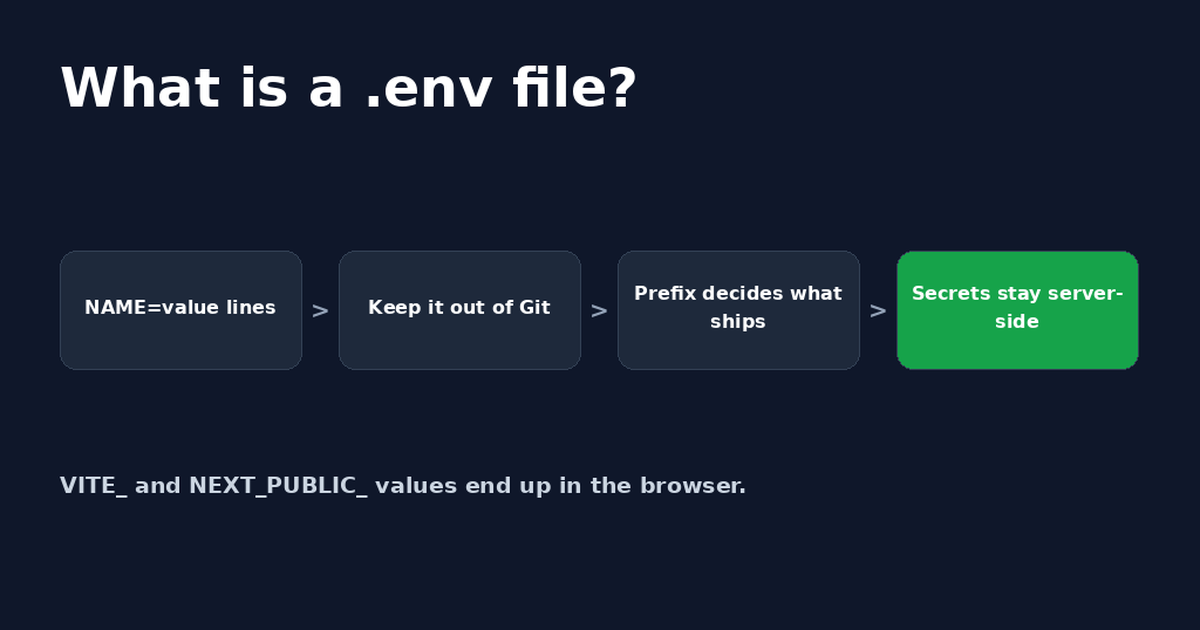
What Is a .env File? Format, Examples and Safety
A .env file stores app settings and secret keys as NAME=value lines. See the format, how to create one, and the two ways it ends up public.

Get the next change before it bites
Greenlight tips and new blog posts: short, practical notes when Supabase, Lovable, Bolt, Cursor or another tool you build with changes something that affects your app, plus what to check. About twice a month.
We'll send a confirmation email first. Unsubscribe anytime. Privacy. Greenlight My App is independent and not affiliated with or endorsed by Supabase, Lovable, Bolt, Cursor or any other tool we mention.
Greenlight is independent and not affiliated with or endorsed by OpenAI, ChatGPT, OpenCode, Anthropic, Google, Lovable, Bolt, Vite, Next.js or Supabase. Product names are used only to identify the tools this guide is about. This page is general information, not professional security advice, legal advice, a security audit or a guarantee. Check your own setup against the vendor's current docs.