Claude Code permissions and sandbox: 6 settings to check before an AI agent edits your app
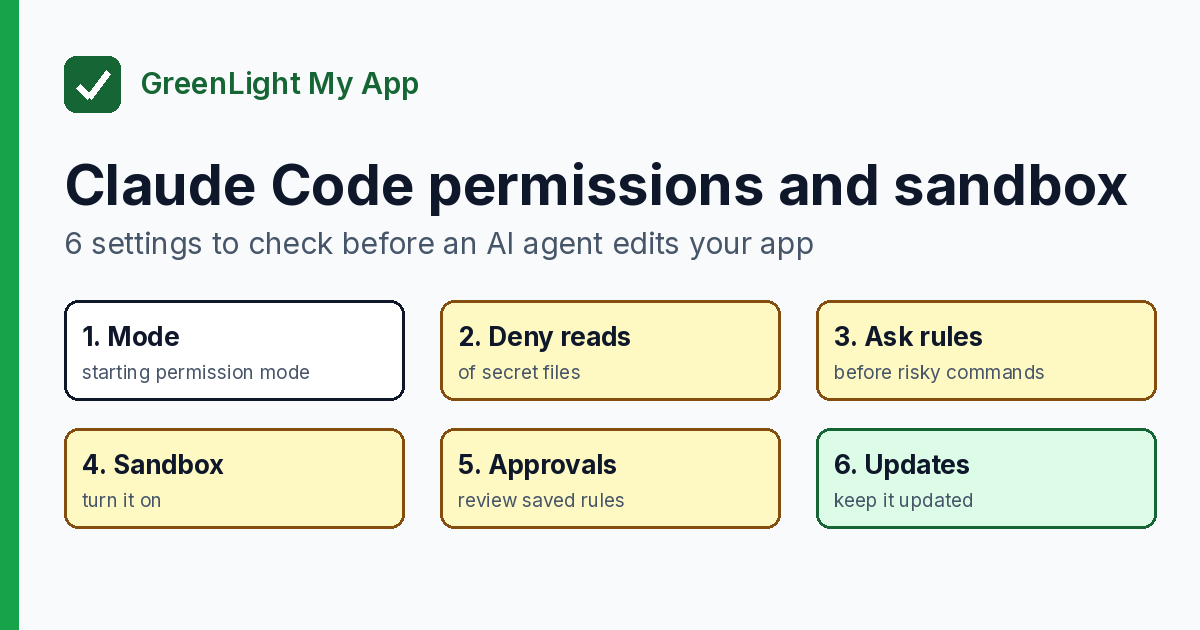
Before an AI agent edits your app, check 6 Claude Code permissions and sandbox settings: mode, deny rules, ask rules, sandbox, approvals, updates.
On this page
Short answer: Claude Code has two layers you control. Permission rules decide which tools and files it may use. The sandbox is an operating-system boundary around the shell commands it runs. Check your permission mode, deny reads of your secret files, ask before risky commands, turn on the sandbox, review what you've already approved, and keep it updated. None of these makes an app "secure" on its own. Together they shrink what an agent can reach.
By Gary, Greenlight · Last checked against Anthropic's docs and advisories: Oct 18, 2026 · Drafted with AI tools and reviewed before publishing.
After the agent ships it, check the live app. A free Greenlight check covers the basics (HTTPS, security headers, exposed keys) and is not a full security audit.
1. Know which permission mode you start in
Claude Code has several permission modes, including default (labeled Manual), acceptEdits, plan, auto, dontAsk and bypassPermissions. You set the starting mode with defaultMode in your settings. Anthropic's docs say that on current versions (v2.1.283 or later), auto mode, where a separate classifier model approves actions instead of you, is the built-in starting mode for terminal and VS Code sessions. On older versions and other surfaces it can differ. Check which mode yours shows, and set defaultMode if you want to approve each action yourself (Manual).
bypassPermissions skips permission prompts. Anthropic's docs say: "Only use this mode in isolated environments like containers or VMs where Claude Code can't cause damage." If you never want it used, Anthropic documents permissions.disableBypassPermissionsMode (and disableAutoMode), set to "disable".
2. Deny reads of your secret files
To keep Claude Code's file tools away from secrets, add Read deny rules such as Read(./.env) or Read(./secrets/**). Two details from Anthropic's docs:
- A
.claudeignorefile "has no effect." Move its entries intoReaddeny rules. - Read and Edit deny rules cover Claude's built-in file tools and the file commands Claude Code recognizes in Bash. They don't cover every program, such as a script that opens files itself. For operating-system-level blocking, use the sandbox (setting 4).
Better still, keep production secrets out of the project folder entirely.
3. Make it ask before risky commands
Permission rules come in three kinds: allow, ask and deny. Anthropic's docs say they are checked in order, deny first, then ask, then allow, and "an allow rule can't carve an exception out of a deny rule." An ask rule like Bash(git push *) makes Claude Code prompt you every time.
Two points worth knowing:
- "Permission rules are enforced by Claude Code, not by the model." Writing "never push" in
CLAUDE.mdshapes what Claude tries, but it isn't a rule. - Anthropic notes that a Bash rule matches the command text, so it "isn't a security boundary around the program." The same program called another way, such as
/bin/rm, may not match. That's why the sandbox exists.
4. Turn on the sandbox
Per Anthropic's docs, "The sandbox is off by default." Turn it on with /sandbox in a session, or set sandbox.enabled to true in your settings. It runs on macOS, Linux and WSL2, but not on native Windows. On Linux and WSL2 it needs bubblewrap and socat installed. If the sandbox can't start, for example on native Windows or with a missing package, Anthropic's docs say Claude Code runs commands unsandboxed by default. Set sandbox.failIfUnavailable to true to make it stop instead, and run /sandbox to confirm it's on. While it's on, shell commands can write only to the working folder (plus a temp folder and any folders you add), and network traffic goes through a proxy that checks each host against your allowed list.
What to check:
- Reads are wide by default. Anthropic says sandboxed commands can read "most of the machine, including credential files such as
~/.sshand~/.aws/credentials." Block those withsandbox.credentialsorfilesystem.denyRead. - The escape hatch. If a command fails in the sandbox, Claude may ask to retry it unsandboxed. Setting
"allowUnsandboxedCommands": falseturns that off. - Fewer prompts, not more. With the sandbox on, its default auto-allow mode runs sandboxed shell commands without asking, even in Manual mode, including ones that change files in your project folder. Deny rules and command-specific ask rules like
Bash(git push *)still apply. If you'd rather keep every prompt, choose regular permissions in/sandbox. - It covers shell commands only. Claude's built-in file and web tools run outside the sandbox and follow permission rules instead. Hooks and local MCP servers also run outside it, with your full access.
Anthropic's own caveat: "Sandboxing reduces risk but is not a complete isolation boundary."
5. Review what you've already approved
Each "Yes, and don't ask again" saves a rule, and some apply to future sessions across the whole repository. Run /permissions to see every rule and which settings file it came from, and remove ones you don't want. Anthropic's Security page also recommends regularly auditing permission settings with /permissions.
If you open a repository you didn't write, read the workspace trust dialog first. Anthropic's docs say a project's allow rules apply only after you accept it.
6. Keep it updated
Anthropic publishes security advisories in its claude-code GitHub repository. Three high-severity advisories were published there in October 2026 (summarized in our own words; dates are ET). One of them covers Claude Desktop on Windows, not Claude Code.
| Advisory | Published | What it covered | Fixed in |
|---|---|---|---|
| GHSA-5j29-h97v-84ch (CVE-2026-103435) | Oct 5, 2026 | A timing gap that, under specific conditions, let a write follow a symlink to a file outside the project | @anthropic-ai/claude-code 2.1.129 |
| GHSA-pq7j-f95f-qfcv (CVE-2026-86063) | Oct 9, 2026 | The plugin install flow in Claude Code and Claude Desktop could install code other than the pinned commit, under specific conditions | @anthropic-ai/claude-code 2.1.179 |
| GHSA-4p2j-qj3c-6x84 (CVE-2026-88066) | Oct 13, 2026 | Claude Desktop on Windows could run a git.exe placed in a project folder | Claude Desktop 1.8089.0 |
Each advisory says users on standard auto-update have already received the fix, and that people who update manually should update to the latest version. Check your Claude Code version (and your Claude Desktop version on Windows), and read each advisory for the full details.
So, is Claude Code safe?
That depends on how it's set up and what you approve. Anthropic's Security page says you're responsible for reviewing proposed code and commands before you approve them, and that "no system is completely immune to all attacks." These six settings are where to start. They're not a guarantee.
Paid reports: coming soon.
Sources
- Anthropic, Claude Code docs, Configure permissions (external)
- Anthropic, Claude Code docs, Permission modes (external)
- Anthropic, Claude Code docs, Sandboxing (external)
- Anthropic, Claude Code docs, Security (external)
- GitHub advisory GHSA-5j29-h97v-84ch (external)
- GitHub advisory GHSA-pq7j-f95f-qfcv (external)
- GitHub advisory GHSA-4p2j-qj3c-6x84 (external)
On this site
Greenlight is independent and not affiliated with or endorsed by Anthropic. Claude and Claude Code are named only to describe the tool these settings belong to. This page is general information, not professional security advice, legal advice, a security audit or a guarantee. Check your own setup against the vendor's current docs.